
 The Pretty Link Bookmarklet is finally available! My #1 request from users for a while has been to make it easy to create Pretty Links outside of the WordPress admin — and now you can.
If you aren't familiar with what a bookmarklet is, it's basically a button that you can add to your browser's toolbar that will do some action–in this case it's creating Pretty Links. Bookmarklets are great because they are very simple, javascript based buttons that work in practically every browser.
The Pretty Link Bookmarklet is available starting in Pretty Link version 1.4.11. Here's how you'll go about installing it in your browser once you have version 1.4.11 or greater installed in WordPress:
- When inside your WordPress admin, click the menu item: “Pretty Link” -> “Tools”
- You'll see a link named “Get PrettyLink” under the Bookmarklet section … you'll want to drag that link to your Browser's bookmark bar
That's all you have to do to install it. Now let's look at how you'd use the Pretty Link bookmarklet:
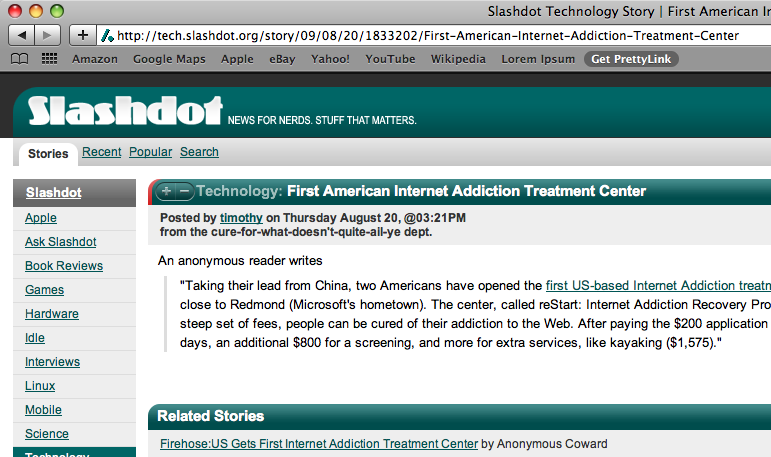
- When you're browsing the web and you find a page that you'd like to create a Pretty Link for, just click “Get PrettyLink” in your toolbar while on that page.
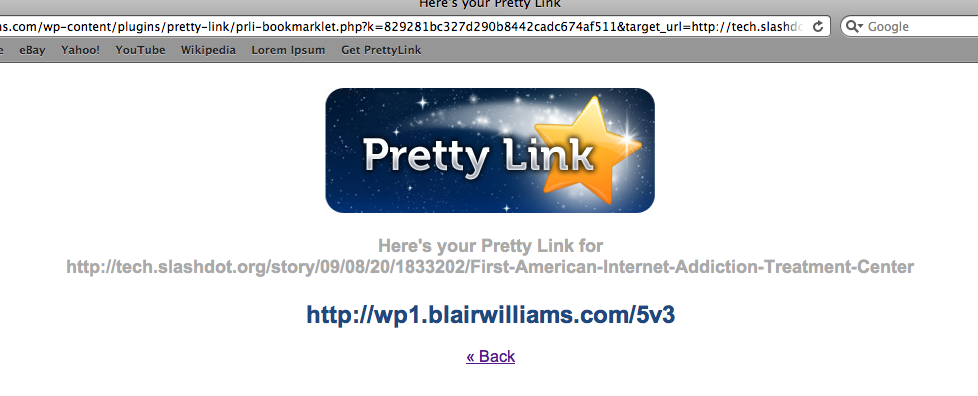
- Pretty Link will automatically create the link for you and redirect you to a page where you can copy your newly created Pretty Link.
Here are a few screenshots of the bookmarklet in action (in Safari — but the same steps go for FireFox, IE, etc):


I'm currently working on some other ways to easily create Pretty Links soon — so it's only going to get easier to manage your entire link portfolio from Pretty Link!
Great feature, thanks. Just one suggestion: it would be more usable if the title of the created shortlink wouldnt be the slug (of the shortlink) but the title of the page whose URL was shortened.
I’ll be doing a release tomorrow that includes this — plus some other awesome features. I’ll post an update to the blog with these new features. Thanks!
NICE OPTION!
Great work!
I´m pretty sure, that must ordet PL Pro before end of month.
Do you ever sleep? I can’t keep up with all the features you add, it’s almost overwhelming. Thanks for listening to your users.
YEAH BABY!!!
Keep Up The Great Work… 🙂
Blair, I’m loving this too!
Feature request: on the page where the resulting slug is shown, it would be awesome if we could then directly edit the pro version things (like we can on the WP site) – I always have to go edit them to add the category and turn on the pretty link. Would be great if I could set those up as defaults too (instead of editing if that’s too much trouble).
I just installed Pretty Links today and starting to get the hang of it. So far I love it…thanks! Added the bookmarklet & tested it out. I was expecting to have the Pretty Bar at the top of the page as I do when I create a Pretty Link from within WP.
Am I missing something, or is there no way to have the Pretty Bar appear when using the bookmarklet? Would be great to have the opportunity to drive traffic back to our blogs. (Sort of like HootSuite?)
Great plugin, immediately adopted for my blog…
One thing I’m missing is the ability to use pretty link directly from twitter clients that allow to use custom url shorteners (like tweetie for Mac & iPhone). Any plan to add a way to use Pretty link as a webservice ? (BTW I think I could write it myself, this should not be so different from the bookmarklet code…).
In Pretty Link Pro you can set up your own site to work as webservice. As an example Blair is using this on his WPMingle.com website for Mingle-users. There is no support yet for Twitter clients, but if you make your own it would be nice if you could share the code?
I’m having trouble dragging the Pretty Links link to the toolbar in Firefox — basically, it doesn’t stick. Any suggestions? Thanks!
Have you tried other browsers just to see if the same thing happens?
Hi Blair,
I’ve just installed PrettyLink on my toolbar. I will be using it tonight. I’ve had success with using PrettyLink from my WP admin area and I’m very pleased with it. Thanks.
Blair – I really like this tool. Although I cannot drag it to my toolbar in IE 8.06 but it works in Firefox 3.6.13. Any idea why that would be? Thanks, Dean
I do I delete the old links off my wordpress dash board. Also why does the pretty link not work when I put the link on facebook
Hi, this plugin does not work in Windows Azure website. Does anyone have an idea?
Anxious to try this out (as a newbie to Pretty Links). Sounds amazing, need to wrap my head around all the possibilities.
I’m going to use the heck out of this tool! Thanks Blair.