DeliciousStumbleUponTwitterFacebookRedditLinkedInSphinn It!

I just pushed another release today that I think clears up many issues that users were having plus I got 2 major improvements in.

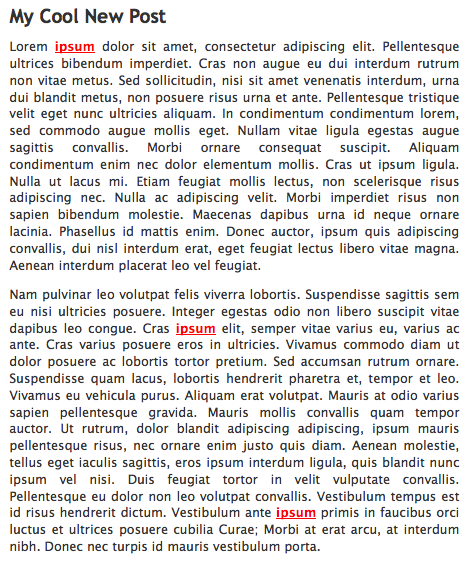
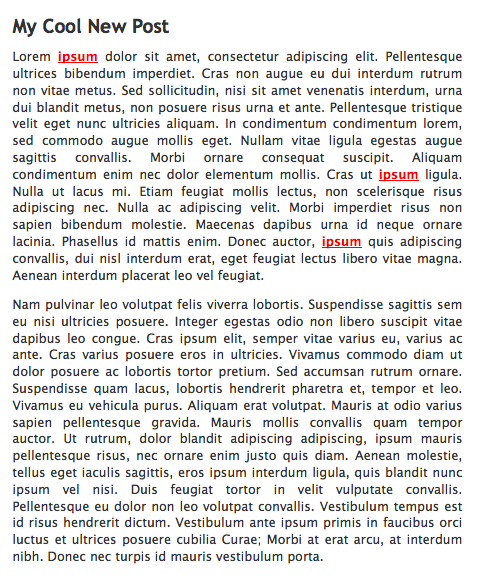
  1. The first is with the keyword replacement algorithm in Pretty Link Pro. When keyword replacements were turned on and a threshold was set of say, 3 keyword replacements per page, my algorithm was just replacing the first 3 keywords it saw. In this release I altered the algorithm so instead of replacing the first 3, it will now replace them in a more distributed randomized order. This feature request was from one of my users that noted some other apps that were doing this. I dove into the code and luckily my existing algorithm was such that it only took me about an hour to modify.
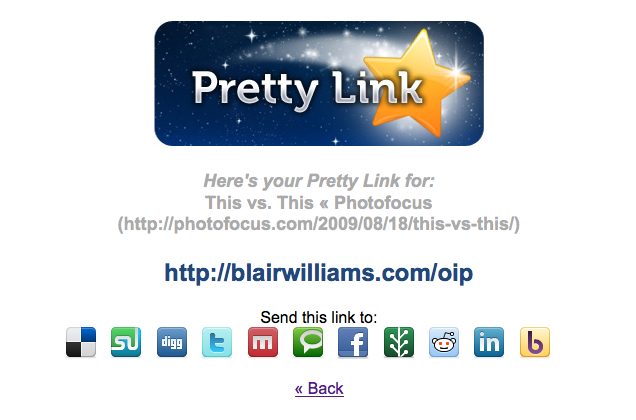
  2. So, remember how I released the Pretty Link Bookmarklet yesterday? Well, I was immediately flooded for 2 additional features to be added to it. The first was that the title of the URL should be used as the name of the Pretty Link and the second was that people wanted a way to post this link to some of the social networks. In the 1.4.12 release today these features are available.

Here are some screenshots of these features:
Some users have been happy but some others have been a bit bothered that I’m pushing so many updates lately, well don’t worry too much … I’m just ramping up for the Official Launch of Pretty Link Pro on September 1. So get ready for some awesome new features to get rolled out next week — I’m working on some really cool stuff for the free & pro users alike!

Blair Williams

Blair Williams has been working as a Software Engineer and Internet Marketer for over a decade. He specializes in writing and leveraging Software drive explosive growth in Businesses of all sizes. He's an expert in WordPress, Ruby on Rails, Search Engine Optimization (SEO), Pay Per Click (PPC) Marketing, Website Strategy and New Media.

Blair is the author of the Pretty Link, Mingle & several other plugins for WordPress. Between them, Blair's plugins have been downloaded almost 200,000 times and are some of the most popular plugins for WordPress. In addition to these plugins, Blair has created Pretty Link Pro which is a premium upgrade to Pretty Link and provides a ton of useful features and premium support.

Twitter Comments

blairwilli RT @supercleanse: Randomized Keyword Replacements and Bookmarklet Updates: http://blairwilliams.com/t4l (via @prettylink)
Re-Tweet | Reply | View Tweet
prettylink RT @supercleanse: Randomized Keyword Replacements and Bookmarklet Updates: http://blairwilliams.com/t4l (via @prettylink)
Re-Tweet | Reply | View Tweet

Related posts:

  1. Create Short URLs on the fly with the Pretty Link Bookmarklet
  2. New Pretty Link Features Added
  3. Introducing PrettyBar
  4. How to Get Started Using Pretty Link
This entry was posted in Plugins, Pretty Link, Software, Wordpress and tagged , , , , , , , . Bookmark the permalink. Post a comment or leave a trackback: Trackback URL.

One Comment

  1. Teresa
    Posted August 28, 2009 at 1:39 pm | Permalink

    uh oh! I just tried to update and it caused a fatal error: Class ‘PrliUrlUtils’ not found in /wp-content/plugins/pretty-link/classes/models/models.inc.php on line 21

Post a Comment

Your email is never published nor shared. Required fields are marked *

*
*

You may use these HTML tags and attributes: <a href="" title=""> <abbr title=""> <acronym title=""> <b> <blockquote cite=""> <cite> <code> <del datetime=""> <em> <i> <q cite=""> <strike> <strong>

Subscribe without commenting

  • Get 6 Free Lessons

    Get 6 Free Video Lessons on Pretty Link:

    Name:
    Email:
  • Recent Comments

    • cartpauj: You can use pretty link to mask the affiliate link by just modifying the code they gave you. This should...
    • Ron: OK, I’ll just use my cj link and just bypass the pretty link. I wanted to use pretty link for the...
    • cartpauj: within the same pretty link, no. But why can’t you just leave the tracking pixel as is?
    • cartpauj: if you’re cloaking the entire affiliate link (including you id) then you can just leave it at...
    • Ron: Fantastic plugin! I’m unsure how I can utilize 3rd party pixels. Here’s the scenario: Site A links...